Ontario basement permit drawing, plans &
engineering Professionals

Plan It.
Get It Permit Ready. Move Forward With Confidence.

Post your basement project, compare qualified professionals, keep permit drawings and documentation organized, and stay in control of every milestone payment.

Qualified professional options
Clear quotes and scope
Review before
payout
Finished basement showing flexible living, rental and work space possibilities
Post OnceShare your basement project once.
Compare ClearlyReview scope, price and timeline before hiring.
Stay in ControlTrack project progress and review completed milestones before payout.
Built Around Your End Goal

Living In It? Renting It Out? Creating a Legal Suite?

How you plan to use the basement affects the drawings, engineering and permit requirements.

More Living SpaceFinish space for everyday use.
Rental IncomePlan a basement intended for tenants.
Legal SuitePrepare for secondary-suite requirements.
Home OfficeCreate dedicated work space.
Extra Bedroom or BathroomPlan new rooms and building-system changes.
Legalize Existing SpaceBring previous work through the proper approval process.
Basement possibilities including living space, home office, rental suite and legalized space
Know Your Options Before You Commit

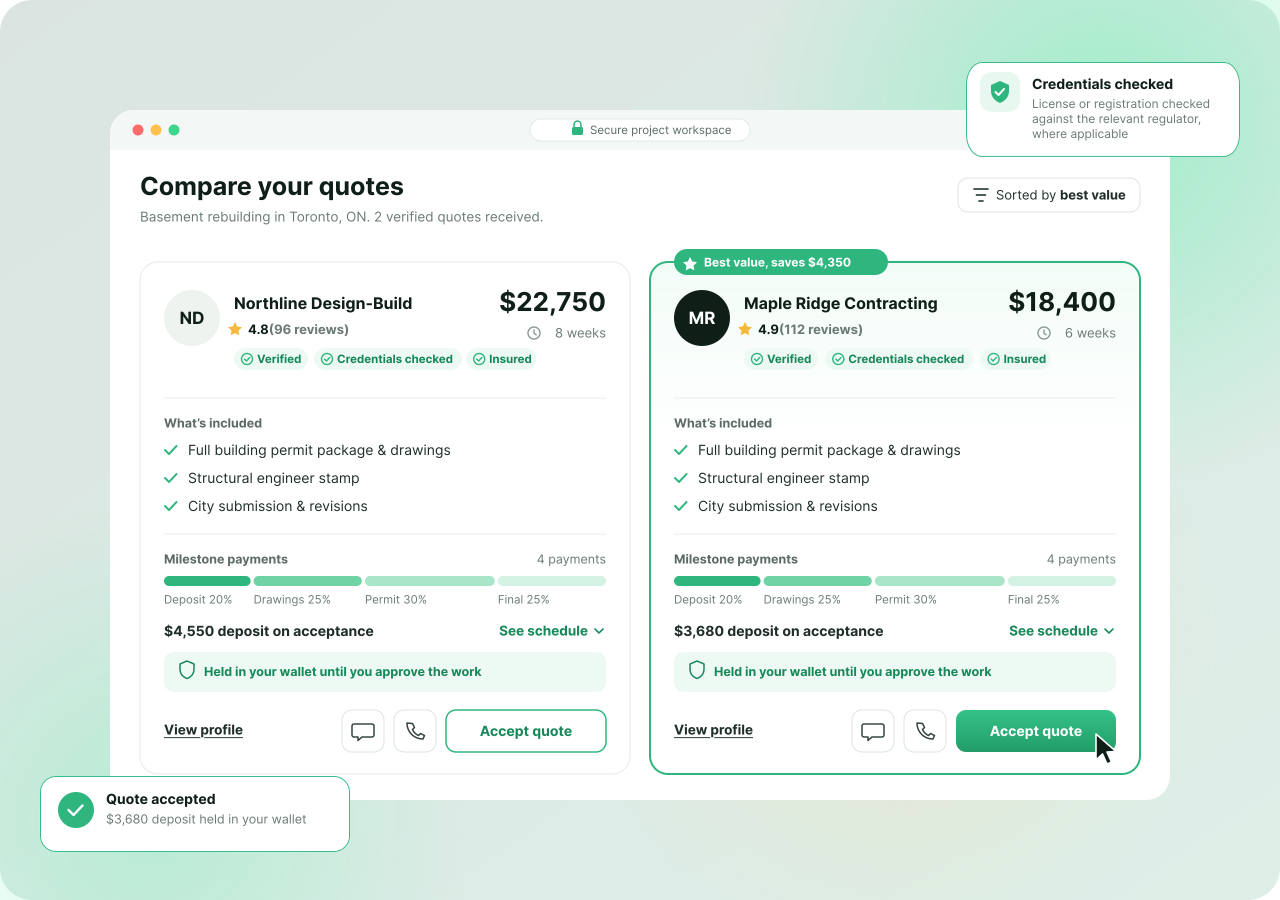
Compare Qualified Professionals
‍Before You Hire.

Review scope, price, timeline and experience side by side.
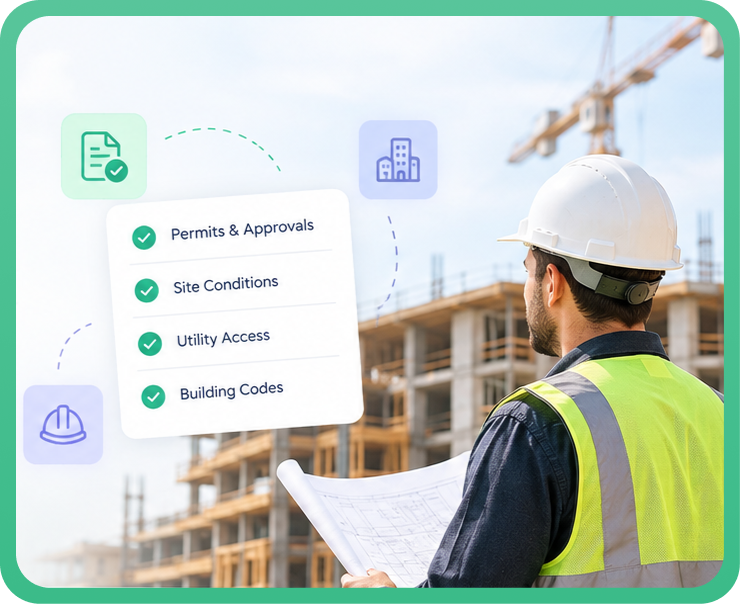
Know What May Be Involved

Know What May Be Involved Before Work Begins.

The proposed use and existing conditions help determine what needs to be reviewed before work moves forward.

1Moisture & drainage
2Ceiling & structure
3Plumbing & electrical
4Egress & ventilation

Requirements vary by project and municipality. The right professionals determine what applies to your scope.

From Project Post to Approved Work

Less Chasing. Less Guesswork.
‍One Clear Way Forward.

STEP 01

Post Your Project

Tell us what you want to change and how you plan to use the basement.

STEP 02

Compare Professionals

Review scope, price, timeline and relevant experience before choosing.

STEP 03

Keep Everything Together

Track drawings, files, messages, revisions and milestones in one place.

STEP 04

Review & Approve

Review completed work before approving the milestone for payout.

One Project. Every Expert You Need.

Need More Than One Professional? Find Them All in One Place.

Your basement project may involve different specialties. Instead of searching for each one separately, connect the professionals you need through one project.

✓
Find the Right ExpertiseConnect with professionals for drawings, structural work, building systems, permit support and other required scopes.
✓
Keep Everyone ConnectedQuotes, agreements, files and project decisions stay tied to the same basement project.
✓
Know Who Handles WhatSee each professional’s scope, milestones and deliverables clearly as the project moves forward.

Each professional is responsible for their own agreed scope and deliverables.

One projectShared context
Separate scopesClear ownership
Shared filesFewer gaps
Visible approvalsClear next steps
A Simpler Way to Get Your Basement Moving

Save the Time. Skip the Runaround.
Keep Control of the Project.

Getting basement work approved can mean searching for specialists, comparing unclear quotes, chasing updates and worrying about who you’re paying. Permit.ca brings the process into one place.

01

Stop Calling Around

Post the project once instead of searching company by company.

02

Know Who You’re Hiring

Compare qualified professionals, scope, experience and quotes before committing.

03

Review Before Payout

Fund agreed milestones and review completed work before payout.

04

Keep the Project Together

Messages, drawings, files, milestones and approvals stay connected.

More Control Over What You Pay For

Don’t Hand Over the Full Project Cost
‍Before the Work Is Done.

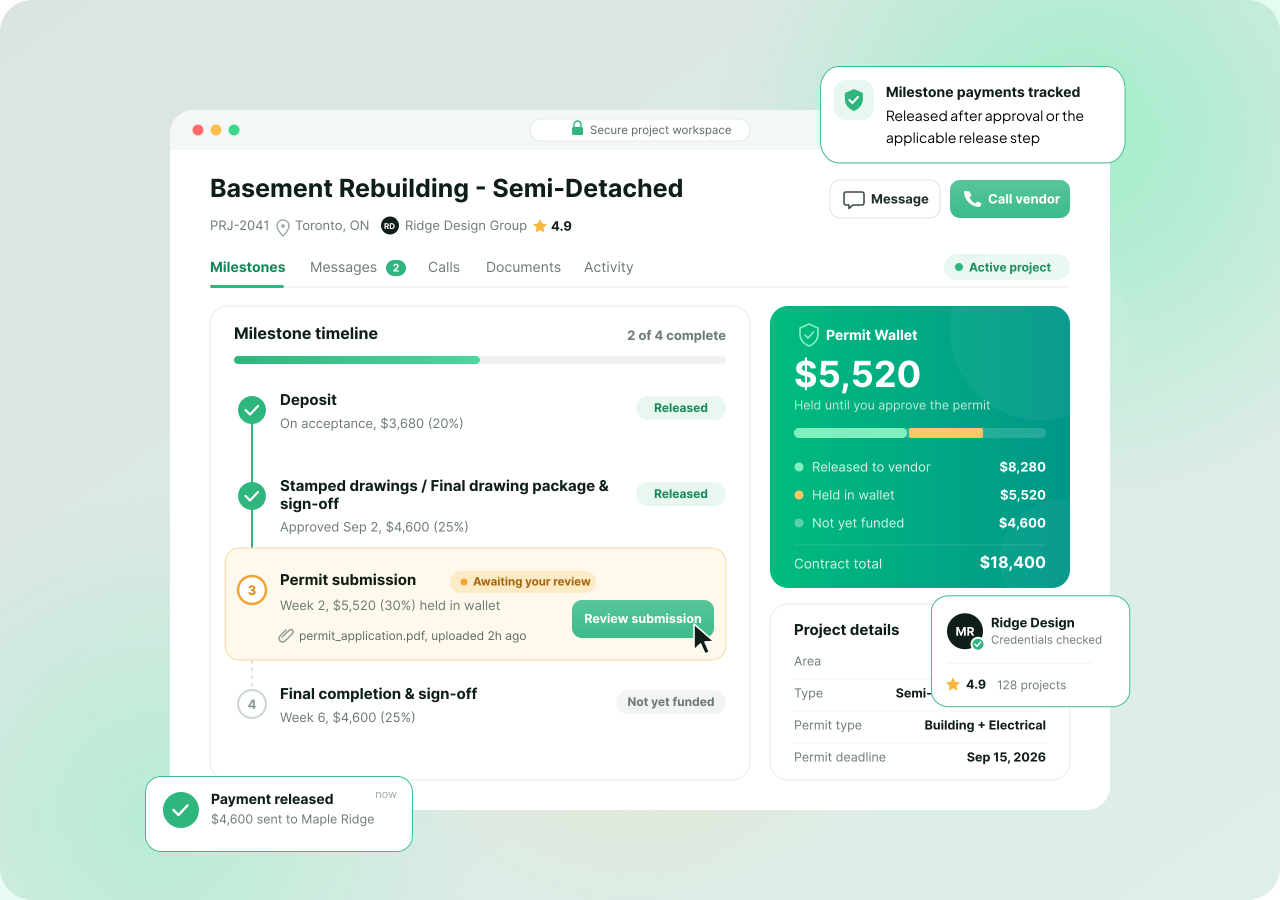
Fund one agreed milestone at a time through the Permit Wallet. Review the submitted work before approval, then move to the next stage when you’re ready.

01

Fund the Milestone

Fund the current agreed stage through Interac e-Transfer.

→
02

Professional Completes the Work

The agreed deliverables are completed and submitted for review.

→
03

You Review It

Approve the milestone or reject it with a reason if revisions are needed.

→
04

Payout Starts After Approval

Your approval starts The 7-Day Rule for the professional’s payout.

→

$0 platform fee for clients  •  Permit Wallet tracks funded milestones •  Dispute path before an eligible payout is sent

Something Wrong?

Raise a dispute before approval, or after approval while an eligible payout has not yet been sent.

Your Project. Your Approval. Your Payment Control.
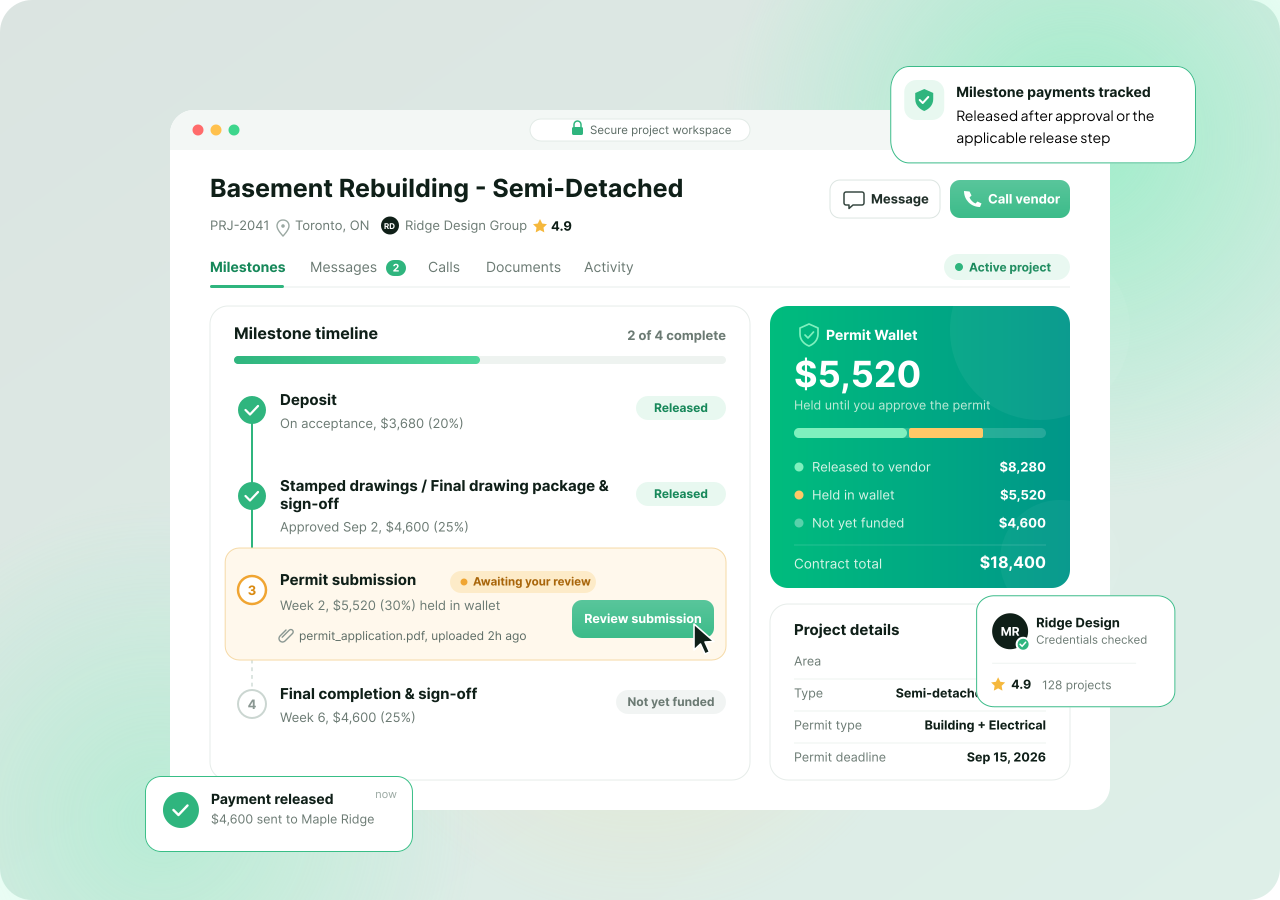
Everything Stays With the Project

No More Chasing Updates. Everything Stays in One Place.

Manage your professionals, drawings, messages, files, milestones, payments and approvals from one project workspace.

✓
Compare and selectKeep every quote connected to the original project.
✓
Follow the permit workSee drawings, milestone submissions, revisions and next actions.
✓
Keep the recordFind messages, drawings, agreements and invoices together.
FAQS

Before You Post Your Basement Project.

What basement projects can I post?
−
Basement finishing, renovations, legal suites, legalization work, separate entrances, bedrooms, bathrooms and other basement projects. Start with the outcome you want—you don’t need the final professional scope yet.
Do I need to know which professionals I need?
+
No. Start with the property, current condition and intended use. The required permit and design professionals depend on the scope.
How can several professionals work on the same project?
+
Each selected professional has a separate agreed scope and milestones. Their quotes, files, submissions, payments and approvals stay connected to the same basement project.
Who coordinates the order of work?
+
Permit.ca keeps the permit-side project record organized, but does not act as the onsite project manager. If you later move into construction, contractor referrals are separate from the permit-side network workflow.
Can I post without drawings or a finished plan?
+
Yes. Share the property, current condition, intended use, photos and the changes you are considering. Professionals can quote the drawings, engineering and permit-related work needed.
What should I include in my project post?
+
Include your municipality, intended use, approximate basement size, current condition, desired rooms or features, known moisture or structural concerns, photos and any existing plans or notices. Add your preferred timing and budget range if known.
Do I need a permit to finish my basement?
+
It depends on the proposed work and municipality. Structural changes, new plumbing or heating systems, separate entrances, underpinning and secondary suites commonly require permits. A qualified professional can assess the scope, but the local authority makes the final decision.
What is different about a legal basement suite?
+
A legal suite can involve zoning, building, fire, egress, ventilation and other local requirements. Post the intended use so the right professionals can address the drawings, engineering and permit documentation. The municipality determines approval.
Can existing unpermitted basement work be legalized?
+
You can post a legalization project. A professional may need to investigate existing conditions, prepare drawings and identify required corrections. Approval is not guaranteed; requirements depend on the property, work already completed and local authority.
How do I compare professionals and quotes?
+
Compare scope, exclusions, deliverables, timeline, milestone schedule and relevant experience—not only the total price.
Is posting free for homeowners?
+
Yes. Clients pay no platform fee to post a project, get matched or compare quotes. You fund only the milestone amounts agreed with the professionals you select.
When does an agreement become active?
+
The professional signs first, then the client signs after reviewing the scope, price, deliverables and milestones. The project becomes active once the required first milestone is funded.
How do milestone payments work?
+
Fund one agreed milestone at a time by Interac e-Transfer into the Permit Wallet. The professional submits the milestone for review. You approve completed work or reject it with a reason. Client approval starts The 7-Day Rule for payout.
What if a milestone is incomplete or needs revisions?
+
Reject the submission with a clear reason and reference the agreed deliverable. The professional can revise and resubmit work that falls within scope. Keep the request, response and supporting files with the project record.
What if new work is discovered after the project starts?
+
Do not rely on a verbal change. Document the added or removed work, price, responsibility, timeline and milestone impact. Both sides should agree to the update before the additional work begins or is funded.
What happens if we cannot resolve a disagreement?
+
Either party can raise a documented dispute before approval, or after approval while an eligible payout has not yet been sent. Permit.ca reviews the documented project record.
Does Permit.ca inspect the work or guarantee approval?
+
No. Permit.ca is a network and project workflow. Independent professionals provide and remain responsible for their services. Municipal and regulatory authorities determine permit requirements, inspections and approvals.
Can I keep calls, files and project records together?
+
Yes. Use the project workspace for messages, agreements, drawings, submissions, invoices and approvals. Once quote participation exists, proxy call and SMS features can help keep personal numbers private while tying communication to the project.
What remains after the project is complete?
+
Your project record keeps the agreement, messages, files, milestone history, invoices and submitted deliverables together. You can also rate the professional based on the completed engagement.
Ready to Move Your Basement Forward?

One Project. The Right Professionals. A Clearer Way to Get It Done.

Post your basement project, compare qualified professionals and manage project files and milestone payments from one place.

Free to post • No Client platform fee • Hire when you’re ready